
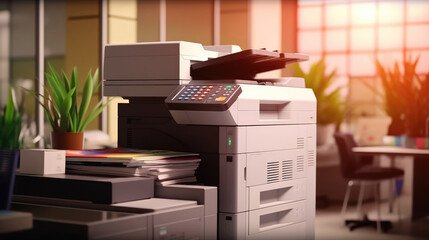
Printer Paper Jam Solutions: Easy Fixes to Keep Your Printer Running Smoothly
Paper jams are one of the most common printer problems faced by home users and offices alike. A sudden paper jam can interrupt important tasks, delay work, and cause unnecessary frustration. The good news is that most paper jam issues can be resolved quickly with the right approach. This guide explains practical printer paper jam solutions to help you prevent and fix the problem safely.
Disclaimer
This article is for informational purposes only. We are not affiliated with any specific printer or software brand. For model-specific information or troubleshooting, please refer to the official website of your printer manufacturer. We do not offer software downloads, remote access, or technical services.
Common Causes of Paper Jams
Understanding why paper jams happen is the first step toward solving them. Some of the most frequent causes include:
Incorrect paper type or size loaded into the tray
Overloading the paper tray beyond its recommended capacity
Damaged, wrinkled, or damp paper
Misaligned paper guides inside the tray
Dust, debris, or small paper fragments inside the printer
Even minor issues like curled paper edges can lead to repeated jams if not addressed.
Step-by-Step Solutions to Fix Paper Jams
- Turn Off the Printer Before Fixing
Always power off the printer and unplug it before attempting to remove jammed paper. This prevents damage to internal components and reduces the risk of injury. - Remove Jammed Paper Carefully
Open the printer’s access panels and gently pull the jammed paper in the direction of normal paper movement. Avoid tearing the paper, as leftover fragments can cause future jams. - Check the Paper Tray
Remove all paper from the tray and fan the stack before reloading. Ensure the paper guides are snug but not too tight. Never mix different paper types in the same tray. - Use Recommended Paper
Printers are designed to work best with specific paper weights and sizes. Using paper that meets the manufacturer’s guidelines helps reduce feeding errors and jamming issues. - Inspect Rollers and Inside Area
Dusty or worn rollers may struggle to feed paper correctly. Use a soft, lint-free cloth to gently clean visible rollers. If rollers appear damaged, professional service may be required.
How to Prevent Future Paper Jams
Prevention is better than repeated troubleshooting. Follow these tips to reduce paper jam incidents:
Store paper in a cool, dry place
Avoid reusing paper that has already passed through a printer
Keep the printer clean and well-maintained
Load paper only when needed and avoid overfilling trays
Perform routine checks for stuck debris inside the printer
When to Seek Professional Assistance
If paper jams occur frequently despite proper loading and maintenance, it may indicate an internal hardware issue. In such cases, contacting a qualified printer support professional can help diagnose and resolve the problem safely.
Final Thoughts
Printer paper jams are common but usually easy to fix with proper handling and preventive care. By using the correct paper, maintaining your printer regularly, and following safe removal steps, you can minimize interruptions and extend the life of your device. A little attention goes a long way in keeping your printer running smoothly and efficiently.